從心理學到認知神經科學
- 關鍵人物:分子生物學博士喬·卡巴金(Jon Kabat-Zinn)
- 背景:MIT 求學期間接觸佛教哲學與禪修
- 1979 年:在麻省大學醫學院創立「減壓門診」(Stress Reduction Clinic)
- MBSR:開發「正念減壓課程」(Mindfulness-Based Stress Reduction)

從腦科學原理到打造你的專屬放鬆 App
正念呼吸是一種呼吸練習
旨在幫助人們放鬆身心,提高注意力,減少壓力
油門
當感知到威脅時,導致瞳孔放大、心率加速、支氣管擴張、消化抑制,並促使腎上腺釋放皮質醇(Cortisol)和腎上腺素(Adrenaline/Epinephrine)。
煞車
當身體處於休息狀態時,導致瞳孔縮小、心率減慢、支氣管收縮、消化增強,並促使副交感神經釋放乙醯膽鹼(Acetylcholine)。
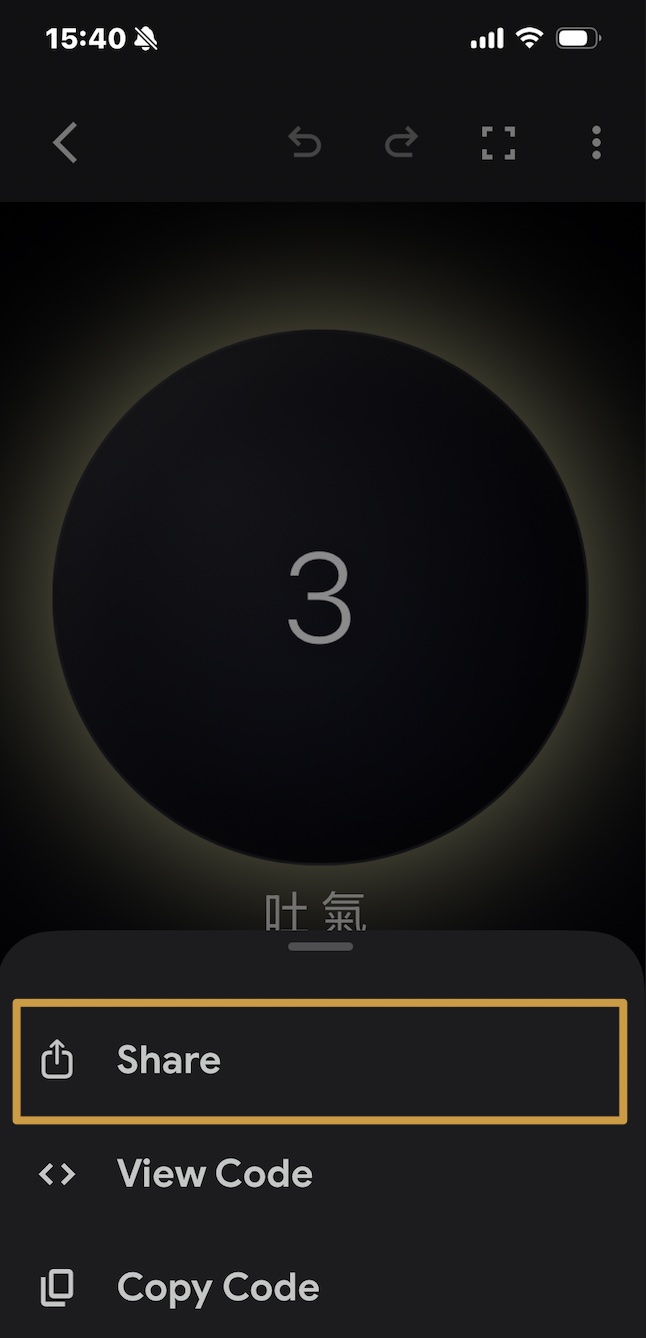
緩慢吐氣 → 刺激迷走神經 → 大腦接收安全訊號 → 心跳變慢。
黃金公式
吐氣時間 > 吸氣時間 = 啟動放鬆模式
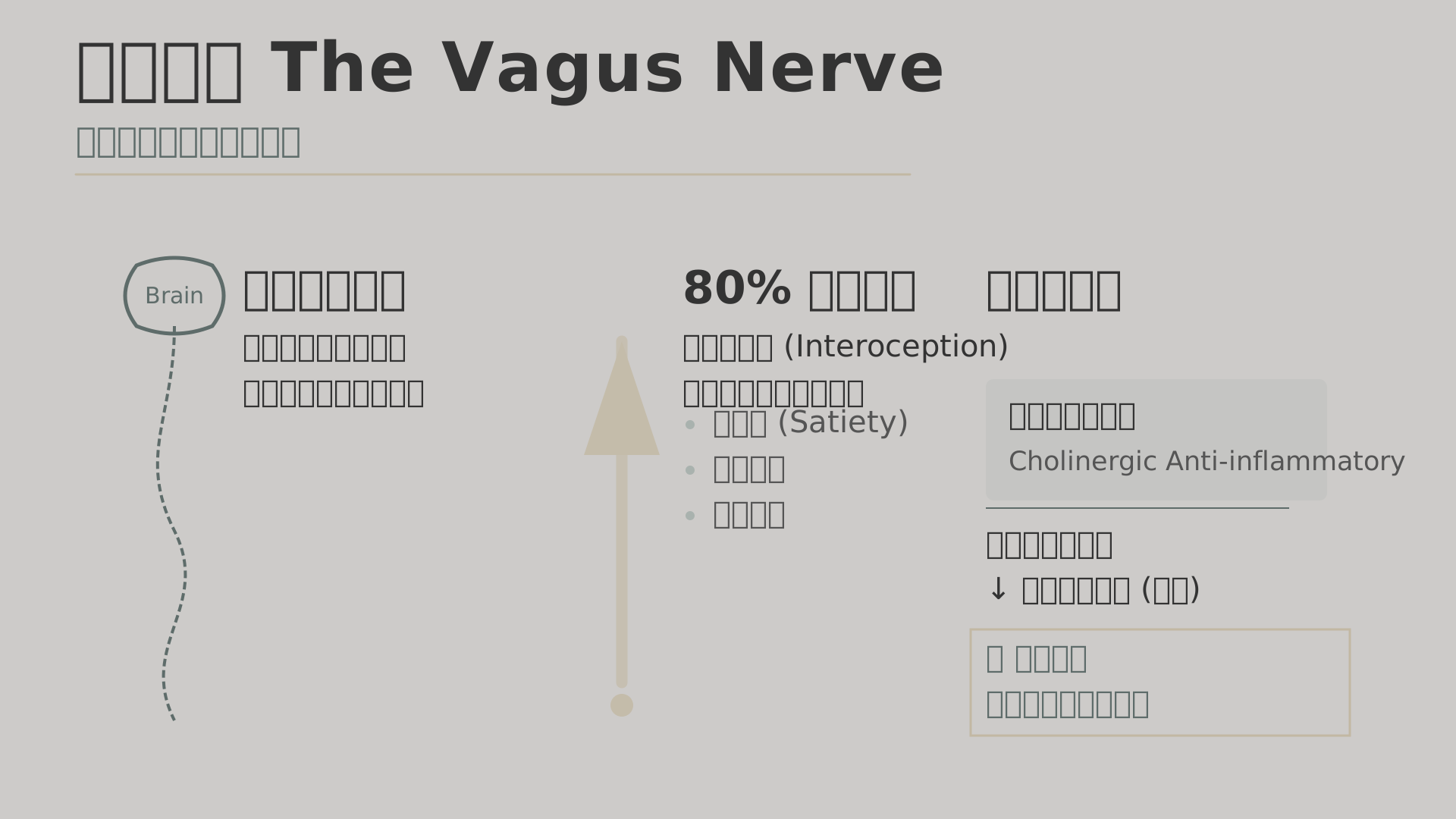
剛剛的 IG 限動?
下一堂課的作業?
學長姐早上靠背什麼?
錯誤迷思:正念就是「停止思考」。
正確期待:正念呼吸不是要消除雜念,而是要學會與雜念共存。
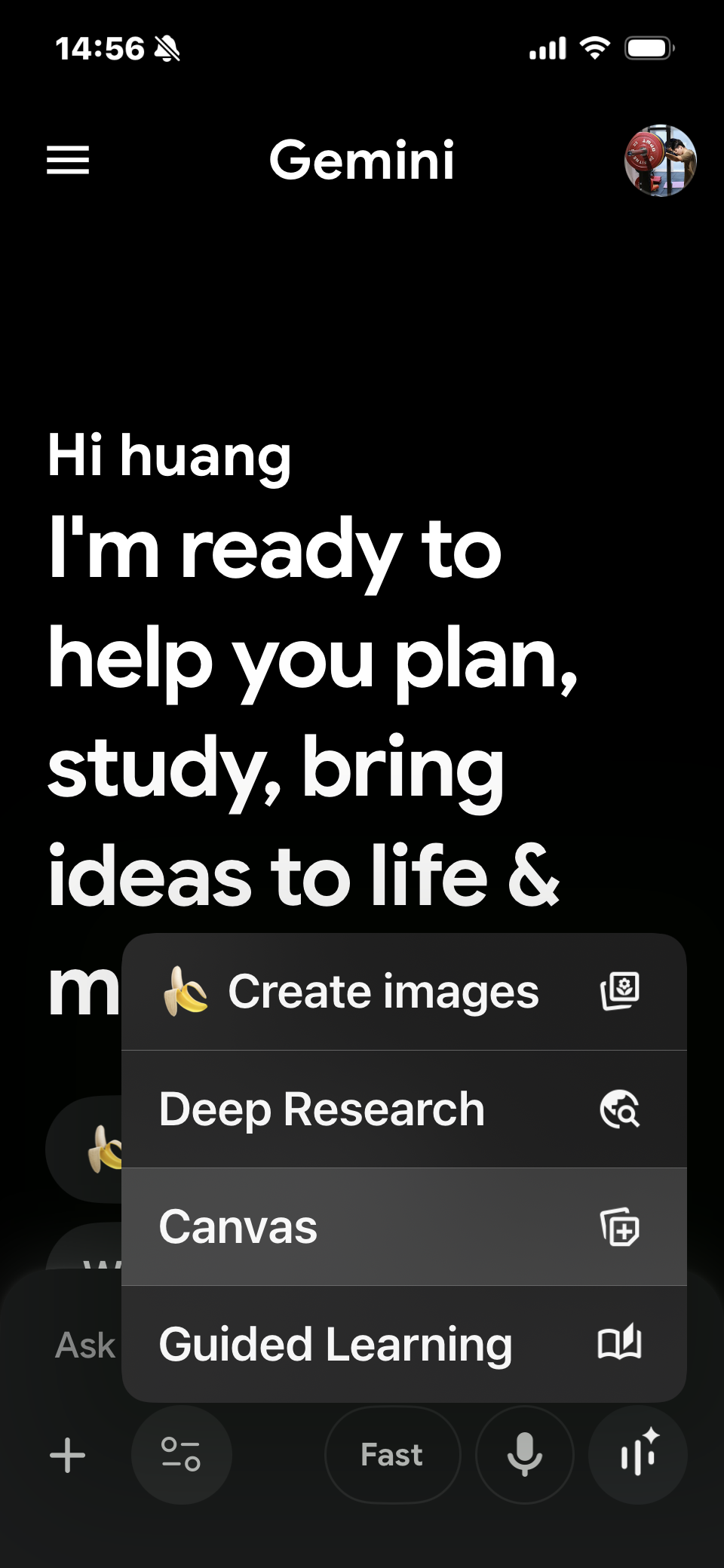
Gemini App
Gemini (gemini.google.com)

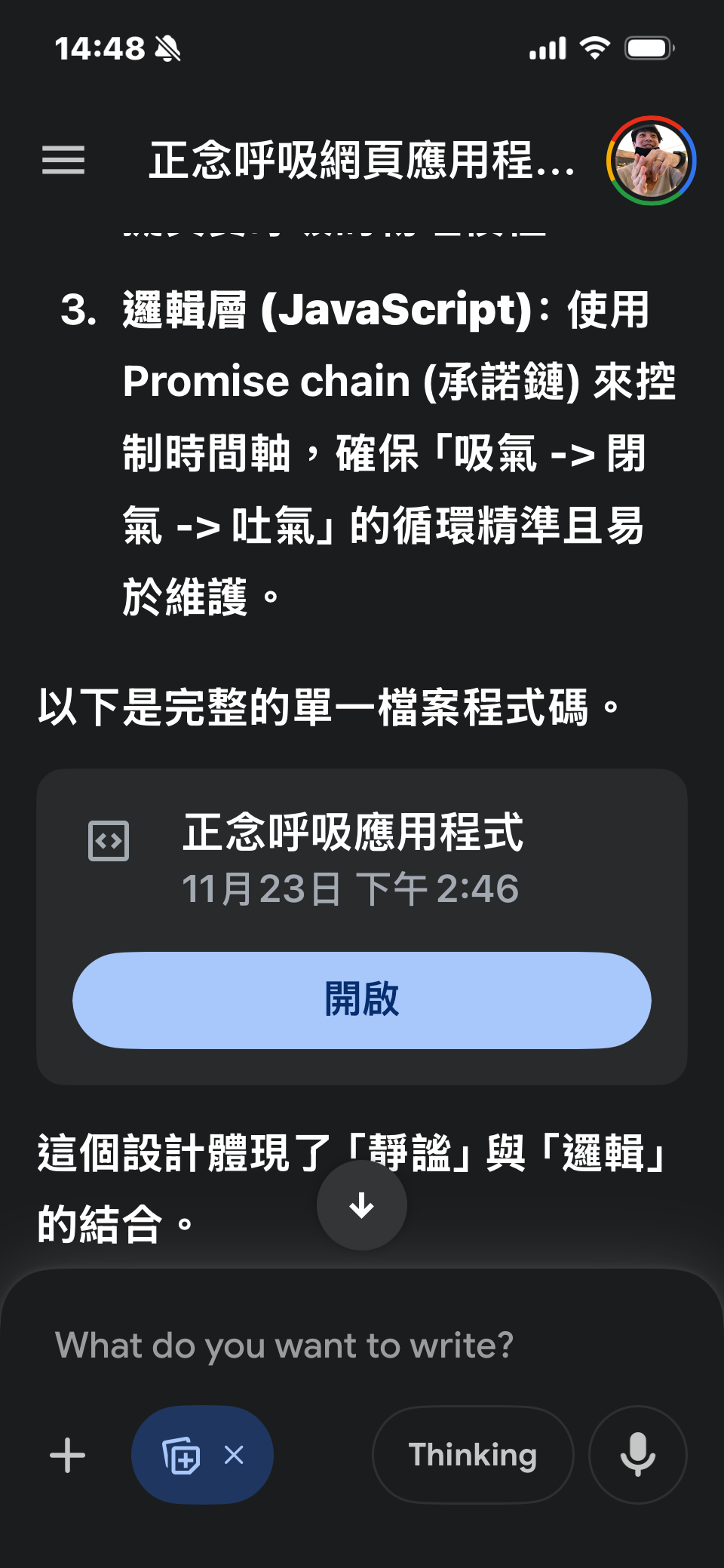
<!DOCTYPE html>
<html lang="zh-TW">
<head>
<meta charset="UTF-8">
<meta name="viewport" content="width=device-width, initial-scale=1.0">
<title>正念呼吸 (Mindfulness Breathing)</title>
<style>
/* * =========================================
* 第一部分:視覺風格設定 (CSS)
* =========================================
*/
:root {
/* 顏色變數 - 低飽和度設定 */
--color-blue: hsl(210, 40%, 60%); /* 吸氣起始色 (冷靜) */
--color-yellow: hsl(45, 40%, 60%); /* 過渡色 (溫暖) */
--color-red: hsl(0, 40%, 65%); /* 結束前提示色 (沉穩) */
--bg-dark: #0b1016; /* 深邃夜空黑 */
--bg-light: #1b2330; /* 漸層用稍亮黑 */
--bubble-size: 280px; /* 基礎泡泡大小 */
--font-main: "Helvetica Neue", Arial, sans-serif;
}
* {
box-sizing: border-box;
margin: 0;
padding: 0;
user-select: none; /* 防止文字被選取影響體驗 */
}
body {
background: radial-gradient(circle at center, var(--bg-light) 0%, var(--bg-dark) 100%);
height: 100vh;
display: flex;
justify-content: center;
align-items: center;
flex-direction: column;
font-family: var(--font-main);
color: rgba(255, 255, 255, 0.85);
overflow: hidden;
}
/* 中央容器 */
.container {
position: relative;
display: flex;
justify-content: center;
align-items: center;
flex-direction: column;
}
/* * 有質感的氣泡 (The Bubble)
* 使用多層 box-shadow 創造玻璃擬態/微光質感
*/
.bubble {
width: var(--bubble-size);
height: var(--bubble-size);
border-radius: 50%;
background: rgba(255, 255, 255, 0.03); /* 極淡的透明底 */
/* 關鍵:使用 backdrop-filter 增加質感 (毛玻璃效果) */
backdrop-filter: blur(8px);
-webkit-backdrop-filter: blur(8px);
/* 內外陰影創造立體感 */
box-shadow:
inset 0 0 40px rgba(255, 255, 255, 0.05),
0 0 20px rgba(0, 0, 0, 0.2),
0 0 60px var(--current-color, var(--color-blue)); /* 動態光暈 */
display: flex;
justify-content: center;
align-items: center;
position: relative;
z-index: 10;
/* 動畫過渡設定:平滑的呼吸感 */
/* transform 會由 JS 動態控制時間 */
transition: transform ease-in-out, box-shadow 1s linear;
}
/* 倒數計時文字 */
.timer-text {
font-size: 5rem;
font-weight: 200;
color: #ffffff;
text-shadow: 0 2px 10px rgba(0,0,0,0.3);
font-variant-numeric: tabular-nums; /* 防止數字跳動 */
}
/* 狀態文字 (吸氣、吐氣) */
.status-text {
margin-top: 40px;
font-size: 1.5rem;
letter-spacing: 4px; /* 增加字距,讓文字看起來更寬鬆、舒適 */
font-weight: 300;
opacity: 0;
transform: translateY(10px);
transition: opacity 1s ease, transform 1s ease;
color: var(--current-color, var(--color-blue)); /* 跟隨泡泡顏色 */
}
/* 狀態文字顯示時的 class */
.status-text.visible {
opacity: 0.8;
transform: translateY(0);
}
/* * 背景裝飾:星空微粒 (純視覺裝飾)
*/
.star {
position: absolute;
background: white;
border-radius: 50%;
opacity: 0.2;
animation: twinkle 4s infinite ease-in-out;
}
@keyframes twinkle {
0%, 100% { opacity: 0.1; transform: scale(1); }
50% { opacity: 0.4; transform: scale(1.2); }
}
</style>
</head>
<body>
<!-- 背景星空容器 -->
<div id="stars-container"></div>
<div class="container">
<div class="bubble" id="bubble">
<span class="timer-text" id="timer">Ready</span>
</div>
<div class="status-text" id="status">準備開始</div>
</div>
<script>
/**
* =========================================
* 第二部分:參數設定區 (可修改此處)
* =========================================
* 請在這裡修改時間長度 (單位:秒)
*/
const CONFIG = {
inhaleTime: 4, // 吸氣時間
holdTime: 0, // 閉氣時間 (設為 0 會自動跳過)
exhaleTime: 6, // 吐氣時間
// 呼吸時泡泡的縮放比例
scaleIn: 1.5, // 吸氣結束時的大小 (1.5倍)
scaleOut: 1.0 // 吐氣結束時的大小 (原始大小)
};
/**
* =========================================
* 第三部分:核心邏輯 (JavaScript)
* =========================================
*/
const bubble = document.getElementById('bubble');
const timerDisplay = document.getElementById('timer');
const statusDisplay = document.getElementById('status');
// 顏色轉換輔助函數 (HSL)
// 將剩餘時間映射到顏色區間:藍 -> 黃 -> 紅
function updateColor(progress) {
// progress: 1.0 (開始) -> 0.0 (結束)
// 我們定義 HSL 色相環:藍色約 210, 黃色約 45, 紅色 0
let hue;
if (progress > 0.5) {
// 前半段:藍色 (210) 過渡到 黃色 (45)
const p = (progress - 0.5) * 2;
hue = 45 + (p * (210 - 45));
} else {
// 後半段:黃色 (45) 過渡到 紅色 (0)
const p = progress * 2;
hue = 0 + (p * 45);
}
// 設定 CSS 變數,讓樣式即時更新
const color = `hsl(${hue}, 40%, 60%)`;
bubble.style.setProperty('--current-color', color);
statusDisplay.style.color = color;
}
// 執行單一階段 (吸氣、閉氣、吐氣) 的通用函數
function runPhase(duration, actionType, text) {
return new Promise(resolve => {
if (duration <= 0) {
resolve();
return;
}
// 1. 設定狀態文字
statusDisplay.textContent = text;
statusDisplay.classList.add('visible');
// 2. 設定動畫與過渡時間
bubble.style.transition = `transform ${duration}s ease-in-out, box-shadow 0.5s linear`;
// 3. 執行縮放動作
if (actionType === 'inhale') {
bubble.style.transform = `scale(${CONFIG.scaleIn})`;
} else if (actionType === 'exhale') {
bubble.style.transform = `scale(${CONFIG.scaleOut})`;
}
// 4. 開始倒數計時器
let remaining = duration;
timerDisplay.textContent = remaining;
// 初始顏色重置為藍色
updateColor(1.0);
const startTime = Date.now();
const endTime = startTime + (duration * 1000);
const timerInterval = setInterval(() => {
const now = Date.now();
const timeLeft = Math.max(0, Math.ceil((endTime - now) / 1000));
const preciseProgress = Math.max(0, (endTime - now) / (duration * 1000));
if (timerDisplay.textContent != timeLeft) {
timerDisplay.textContent = timeLeft;
}
updateColor(preciseProgress);
if (now >= endTime) {
clearInterval(timerInterval);
resolve();
}
}, 16);
});
}
// 主要循環函數
async function startBreathingCycle() {
while (true) { // 無限循環
// 吸氣 (Inhale) - 已移除 "中"
await runPhase(CONFIG.inhaleTime, 'inhale', '吸氣 (Inhale)');
// 閉氣 (Hold)
if (CONFIG.holdTime > 0) {
await runPhase(CONFIG.holdTime, 'hold', '閉氣 (Hold)');
}
// 吐氣 (Exhale) - 已移除 "中"
await runPhase(CONFIG.exhaleTime, 'exhale', '吐氣 (Exhale)');
}
}
// 初始化背景星空
function initStars() {
const container = document.getElementById('stars-container');
for(let i=0; i<50; i++) {
const star = document.createElement('div');
star.className = 'star';
const xy = Math.random() * 100;
const duration = Math.random() * 3 + 2;
const size = Math.random() * 2 + 1;
star.style.left = `${Math.random() * 100}%`;
star.style.top = `${Math.random() * 100}%`;
star.style.width = `${size}px`;
star.style.height = `${size}px`;
star.style.animationDuration = `${duration}s`;
container.appendChild(star);
}
}
// 程式進入點
window.onload = () => {
initStars();
setTimeout(() => {
startBreathingCycle();
}, 1000);
};
</script>
</body>
</html>功能:定義有什麼 (What?)
譬喻:骨架 (Skeleton)
功能:定義長什麼樣 (Looks?)
譬喻:皮膚與衣服 (Skin)
功能:定義怎麼動 (Action?)
譬喻:肌肉與大腦 (Brain)
HTML = 畫面上那個「氣泡」的存在 <div>。
CSS = 背景是「黑色」的。
JS = 控制圓形「變色」與「4秒變大、8秒變小」的邏輯。
功能:定義網頁的「物理存在」,決定畫面上有哪些物件。
<div id="stars-container"> - 背景層,用來放置 JS 動態生成的星星<div class="container"> - 排版容器,確保內容在畫面正中央<div class="bubble"> - 核心元件,隨著呼吸縮放的圓形氣泡<span id="timer"> - 動態數字,顯示倒數秒數<div id="status"> - 提示文字,顯示「吸氣 / 吐氣」狀態功能:負責「美感體驗」,決定顏色、質感與動畫流暢度。
:root { --color-blue... } - 定義全域變數,控制呼吸的主題色調backdrop-filter: blur(8px) - 創造「毛玻璃」質感的關鍵語法box-shadow - 堆疊多層陰影,營造氣泡的立體光暈transition: transform - 讓 JS 改變大小時,過程是平滑而非生硬的@keyframes twinkle - 定義星星忽明忽滅的動畫規則功能:負責「時間控制」,指揮 HTML 變形並計算倒數邏輯。
const CONFIG - 控制室,在此設定吸氣 (4s) 與吐氣 (6s) 的時間runPhase() - 核心函數,處理單一階段的文字更新與動畫指令updateColor() - 數學計算,將剩餘時間映射為顏色(藍→黃→紅)initStars() - 隨機生成星星的位置與閃爍速度startBreathingCycle() - 使用 while(true) 確保呼吸練習無限循環在 Gemini 對話框右上角點擊「複製」。
切換到 W3Schools 分頁,全選刪除舊內容,貼上新程式碼。
點擊綠色 Run 按鈕。
見證奇蹟。
作業繳交:Google Form | 繳交期限:11/28 23:59 前
請根據程式碼範例,進行任何你想要的調整與修改:
.bubble 樣式,或詢問 Gemini 如何改變圖樣。CONFIG 物件中的時間參數(inhaleTime、holdTime、exhaleTime)。常見的呼吸節奏包括 4-0-6(基礎放鬆)、4-7-8(深度放鬆)、5-5-5(平衡節奏)等。記得遵循「吐氣時間 > 吸氣時間」的醫學原理,有助於啟動副交感神經系統。在作業中請說明你選擇的呼吸節奏及原因(例如:適合睡前放鬆、適合專注前準備等)。